
Cloud-native, scalable batch processing for the enterprise
Spend your time on high-value tasks instead of managing routine process automations. Unlike limited batch scheduling tools, RunMyJobs by Redwood allows you to schedule jobs across any environment or system with ease.
-
Event-driven job scheduling
Customize your conditions, exception handling, SLA rules and more with triggers that free you from time-based limitations.
-
Endless use cases
Handle any workload at any scale with high availability built in across every environment and system.
-
Streamlined, low-code DevOps
Make process flow creation less time-consuming — RunMyJobs lets you choose from pre-built process steps and sequences.
-
Flexible configurations
Use ready-made schedules and job templates, or create your own reusable components and scheduling patterns.
-
Efficient resource allocation
Dynamic load balancing ensures you use compute resources evenly, maximizing throughput and preventing server overload.
-
Smart SLA prioritization
RunMyJobs uses machine learning to monitor processes and forecast execution time to predict potential SLA breaches.

Run jobs and build workflows your way
Easily schedule and run event-driven workflows, manage file transfers and more using RunMyJobs’ extensive library of included templates and wizards that help build processes in minutes.
- Schedule or run processes in response to real-time events, files, data or messages for time-critical applications.
- Add customizable conditions and branching paths based on status to build exception handling into your processes.
- Schedule across multiple time zones and daylight savings rules, create patterns from any date or time window or use perpetual calendars that don’t require updating.

Orchestrate your most complex processes
Manage data and dependencies across mainframes, modern web services and containerized cloud servers. Use dozens of native integrations for cross-platform workflow orchestration in hybrid environments.
- IT operations: Automate IT processes across on-premises and multi-cloud environments, operating system activity and web API interactions. Control servers and run scripts with lightweight agents for Windows, Linux, UNIX and more.
- Managed file transfers (MFT): Move, copy and manage millions of files per month across Amazon S3, Azure Storage, Google Cloud Storage and more.
- IT infrastructure: Coordinate resource management applications in hybrid environments, automate virtualization and run common OS and database tasks.
- Business processes: Orchestrate ETL workflows, real-time dashboards, big data, ERP ecosystems (SAP, Oracle) and more.

Implement simple automation design
RunMyJobs is an intuitive, low-code automation solution that supports the entire process lifecycle, with simple promotion between development, test and production environments. Orchestrate end-to-end processes using:
- A drag-and-drop graphical editor with an extensive library of included templates and wizards to encourage self-service workflow creation.
- The flexibility to create or choose from a library of process steps, sequences and calendars that can be reused and shared across multiple processes.
- Integrated source control, rollback and audit trails that enable complete lifecycle management for all your processes.
- Support for more than 25 scripting languages and interfaces, including Python, R and PowerShell, with built-in syntax highlighting and parameter replacement.
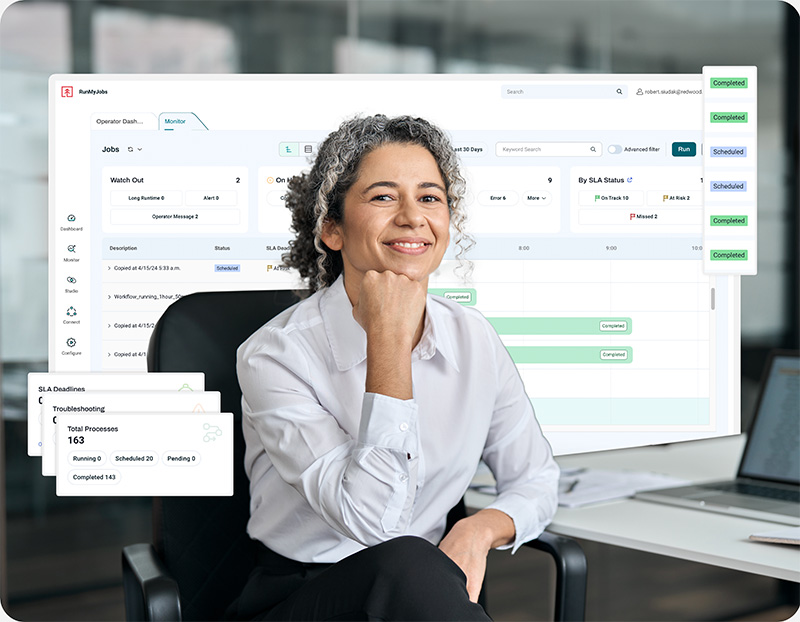
Maintain high-volume job scheduling
RunMyJobs makes it easy to scale and automate endless batch jobs in any environment.
- Manage data pipelines and dependencies from a central point of control, regardless of infrastructure.
- Run processes in response to real-time events, file transfers, data-driven actions, messages and more.
- Rely on advanced process exception handling that enables a clear view into the status of business processes.
- Receive alerts and notifications to preempt issues before they create bottlenecks or impact performance.

A range of data-focused integrations
Connect your data workflows to the systems that run your business. RunMyJobs supports real-time data processing across cloud and on-premises platforms with pre-built connectors that require no custom code.
- Orchestrate Apache Airflow DAGs alongside enterprise batch workflows
- Trigger and manage AWS Batch compute jobs from a central control plane
- Run, monitor and manage Databricks jobs across your data pipelines
- Build and monitor end-to-end data automation chains with Azure Data Factory
- Automate stored queries, procedures and SQL statements with Oracle Database
Run every workflow from one control plane
RunMyJobs connects job scheduling, IT operations, business processes and data pipelines into one orchestration and workload automation platform. Your teams get full visibility and centralized control across every layer of their hybrid environment, from on-premises systems to cloud services.
-
Job scheduling
Responsive job scheduling
Schedule JobsAutomate date/time scheduling, event triggers and cross-platform job chains with templates that reduce manual effort.
-
IT automation
Automate your IT environment
Explore IT AutomationCoordinate scripts, OS tasks and API integrations across Windows, Linux and UNIX environments using no-code process building.
-
Business process automation
Connect critical business processes
Discover ProcessesConnect ERP ecosystems, financial close and supply chain workflows across SAP, Oracle and other enterprise applications.
-
Real-time monitoring
Predict and prevent SLA risks
Learn About MonitoringMonitor every job with predictive SLA tracking, custom alerts and auto-remediation before issues reach downstream processes.
-
Workload Automation (WLA)
Tackle any workload volume
Automate WorkloadsRun high-volume workload automation (WLA) across hybrid environments with built-in load balancing and resource management.
-
Data management orchestration
Govern your data pipelines
Manage Your DataOrchestrate batch execution, ETL workflows and data pipelines across hybrid environments with end-to-end dependency visibility.

A Leader in the 2026 Gartner® Magic Quadrant™ for Service Orchestration and Automation Platforms
Redwood Software is a Leader in the 2026 Gartner Magic Quadrant™ for Service Orchestration and Automation Platforms (SOAP), positioned furthest in Completeness of Vision for the third consecutive year, which is recognition we believe reflects our commitment to enterprise orchestration.
In the companion Gartner Critical Capabilities report, RunMyJobs ranked #1 in four of five use cases and tied for #1 in the fifth. This SOAP covers capabilities across IT Workload Automation, IT Workflow Orchestration, Data Orchestration, Business Technologist and DevOps Automation.
Batch job scheduling FAQs
Can you automate batch jobs?
Yes, it’s possible to automate batch jobs using workload automation tools. In fact, automation is a key benefit of batch processing.
Batch jobs can be submitted to a batch processing system manually or they can be scheduled to run automatically at specific times or under certain conditions. Once submitted, the system will execute jobs in the order in which they’re received and will continue to process subsequent jobs until the queue is empty.
What are the benefits of batch scheduling?
Automating batch jobs with enterprise job scheduling software has several advantages:
- Greater consistency and reliability: Automation ensures that batch jobs run consistently, which reduces human error and makes processes repeatable.
- Improved efficiency: Automated batch jobs can run during off-peak hours to optimize resource utilization and ensure important tasks are completed promptly.
- Reduced manual effort: Automation eliminates the need for operators to manually start or monitor batch processes, which saves time and reduces errors.
- Scalability: As organizations grow and data volume increases, automating batch jobs can easily scale to boost throughput and accommodate higher loads without additional manual intervention.
What are the best batch workload automation platforms?
Enterprise batch processing software varies widely in capability. The strongest platforms go beyond basic scheduling to support real-time processing, reduce batch window latency and orchestrate workflows across hybrid environments with full visibility and governance, including:
- ActiveBatch by Redwood
- BMC Control-m
- Stonebranch UAC
- Broadcom Autosys